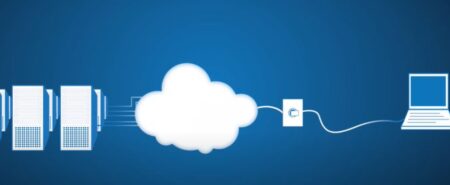
The Internet Protocol (IP) is a fundamental component of the Internet and computer networks, serving as the primary method for addressing and routing data across interconnected systems. It defines how data packets are formatted, addressed, transmitted, and received across various network devices. Each device on a network is assigned a unique identifier known as an IP address, which functions similarly to a postal address, ensuring that data sent from one device reaches the correct destination. For instance, a website like www.example.com is mapped to an IP address like 192.168.1.1 using the Domain Name System (DNS), enabling browsers to locate and communicate with the server hosting the site.
There are two primary versions of IP currently in use: IPv4, which is based on a 32-bit address scheme (e.g., 192.168.0.1), and the newer IPv6, which uses a 128-bit address to accommodate the growing demand for IP addresses (e.g., 2001:0db8:85a3:0000:0000:8a2e:0370:7334). IPv4 provides around 4 billion unique addresses, which have become insufficient with the increasing number of internet-connected devices. IPv6, with its vastly larger address space, is designed to address this issue.
IP plays a critical role in the operation of the Internet, facilitating communication between devices, whether in local area networks (LANs) or on a global scale. For example, when a device in a local network communicates with another device on the internet, the router uses IP to determine the most efficient path for sending data. Additionally, IP works in conjunction with other protocols like TCP (Transmission Control Protocol) to provide reliable data delivery. A good example of this interaction is when you send an email: TCP ensures that the data arrives intact, while IP ensures it reaches the correct destination server. This combination of IP and TCP is often referred to as TCP/IP, the backbone of internet communication, ensuring that information flows efficiently and accurately between devices across vast and complex networks.
What is the Internet Protocol (IP)?
The Internet Protocol (IP) is a set of rules and standards used to facilitate communication across a network, particularly the Internet. It is responsible for addressing, routing, and delivering data packets between devices on a network. Each device, whether it’s a computer, smartphone, or server, is assigned a unique identifier known as an IP address, which serves as its network address. This address allows data to be sent to the correct location, much like a postal address ensures letters are delivered to the right recipient. IP operates at the network layer of the OSI (Open Systems Interconnection) model, where it defines the structure of data packets and determines how they are routed from the source to the destination device across complex network paths.
There are two main versions of IP: IPv4 and IPv6. IPv4, the older version, uses a 32-bit address system, which allows for about 4.3 billion unique addresses. However, as the number of internet-connected devices increased, IPv4’s address space became insufficient. To solve this, IPv6 was introduced, using a 128-bit address system to allow for an exponentially larger number of unique addresses, ensuring that every device on the planet can have its own IP address. An example of an IPv4 address is 192.168.0.1, while an example of an IPv6 address is 2001:0db8:85a3:0000:0000:8a2e:0370:7334.
IP plays a crucial role in the transmission of data between devices on both local area networks (LANs) and wide area networks (WANs), including the internet. It ensures that data sent over the network is directed to the correct destination, whether it’s a server hosting a website, an email server, or another device within the network. IP also works closely with other protocols like TCP (Transmission Control Protocol), which ensures reliable delivery of data by managing how packets are sent, received, and acknowledged. Together, IP and TCP (known as TCP/IP) form the foundation of the internet, enabling the global communication that we rely on every day.
Types of Internet Protocol
There are primarily two types of Internet Protocols in use today: IPv4 (Internet Protocol version 4) and IPv6 (Internet Protocol version 6). These protocols are responsible for addressing, routing, and delivering data across the internet, but they differ in their address formats and capabilities.
- IPv4 (Internet Protocol version 4): IPv4 is the most widely used version of IP and has been the standard since the 1980s. It uses a 32-bit address format, allowing for approximately 4.3 billion unique IP addresses. An IPv4 address is typically written in a format known as dotted decimal notation, consisting of four numbers (each ranging from 0 to 255) separated by periods. For example, 192.168.1.1 is a common IPv4 address. However, with the rapid growth of internet-connected devices, IPv4’s limited address space became insufficient, leading to the development of IPv6.
- IPv6 (Internet Protocol version 6): IPv6 was introduced as a successor to IPv4 to address the limitations of the older protocol, primarily the lack of available IP addresses. IPv6 uses a 128-bit address scheme, which allows for a virtually unlimited number of unique addresses—about 340 undecillion (3.4×10^38) possible addresses. This vast address space is essential for supporting the growing number of devices connected to the internet, from computers to smartphones, IoT (Internet of Things) devices, and beyond. An IPv6 address is typically written in hexadecimal notation and divided into eight groups of four hexadecimal digits, separated by colons. For example, an IPv6 address might look like 2001:0db8:85a3:0000:0000:8a2e:0370:7334.
- Other Types of Protocols in the IP Suite: While IPv4 and IPv6 are the primary types of Internet Protocols, there are several other protocols in the IP suite that play important roles in data transmission:
- ICMP (Internet Control Message Protocol): ICMP is used for diagnostic purposes, such as reporting errors and testing network connectivity. A common example is the ping command, which sends ICMP Echo Request messages to determine if a networked device is reachable.
- ARP (Address Resolution Protocol): ARP is used to map an IP address to a physical machine address (MAC address) in a local network, allowing devices to find each other and communicate.
- DNS (Domain Name System): While not strictly an IP protocol, DNS is closely related, as it translates human-readable domain names (like www.example.com) into IP addresses that devices can use for communication.
These different types of protocols, especially IPv4 and IPv6, are integral to the functioning of the internet, ensuring data is routed correctly and devices can communicate seamlessly across the globe.
Functions of the Internet Protocol (IP)
The Internet Protocol (IP) plays a crucial role in modern networking by ensuring that data is transmitted accurately and efficiently across diverse network infrastructures, including the global internet. As the backbone of internet communication, IP governs how data packets are addressed, routed, and delivered between devices. Below are the core functions of the Internet Protocol:
- Addressing: One of the most important functions of IP is addressing. Each device connected to a network, whether it is a computer, smartphone, or server, requires a unique identifier called an IP address. This address serves as the device’s “postal address” within the network, ensuring that data packets sent across the internet or within a local network are delivered to the correct destination. There are two primary versions of IP addresses in use today: IPv4, which uses 32-bit addresses, and IPv6, which uses 128-bit addresses.
An example of an IPv4 address is 192.168.0.1, while an example of an IPv6 address is 2001:0db8:85a3:0000:0000:8a2e:0370:7334. These addresses uniquely identify a device within a network, allowing other devices to send and receive data correctly. - Routing: The Internet Protocol is also responsible for routing data between devices, especially when the devices are located on different networks or geographic locations. Routers, which are specialized devices, use IP addresses to forward data packets across networks. When a data packet is sent from one device to another, the source device and each router along the path use the destination IP address to determine the best route for the data.
Routing is essential for enabling devices to communicate across multiple networks, and it is a dynamic process that adapts to changes in the network, such as the availability of network paths and changes in network topology. IP ensures that data reaches its intended destination even if it has to pass through several intermediate routers or networks. - Packetization: IP is responsible for packetizing data, breaking down large files or data streams into smaller, manageable chunks called data packets. This allows data to be transmitted more efficiently and reduces the load on networks by ensuring that the data can be spread across multiple smaller transmissions. Each packet contains part of the original data, along with metadata like the source and destination IP addresses, which guide it to its final destination.
Packetization is essential for network efficiency because it allows data to be sent in small increments, which is particularly important when networks have limited bandwidth or when data needs to travel over different types of transmission media. - Error Detection: While IP itself does not guarantee error-free delivery (this is handled by higher-layer protocols such as TCP), it does include basic mechanisms for detecting errors in the data transmission process. For example, each IP packet includes a checksum in its header, which is used to verify that the data has not been corrupted during transmission. If an error is detected, the packet is discarded, and the higher-layer protocol (such as TCP) can request retransmission.
While IP doesn’t handle the correction of errors, its error detection feature helps ensure that faulty data is identified quickly and does not get delivered to the recipient, contributing to overall data integrity. - Fragmentation and Reassembly: In cases where data packets are too large to be transmitted across a network, IP supports fragmentation. Fragmentation breaks large data packets into smaller pieces, or fragments, that can pass through network segments with lower maximum transmission unit (MTU) limits. Once the fragments reach the destination device, IP ensures that they are reassembled into the original, complete data packet.
Fragmentation is necessary for compatibility between different network devices, as not all networks or devices can handle large packets. IP’s ability to fragment and reassemble packets ensures that data can be transmitted across networks with varying capabilities and limitations. - Address Resolution: While IP addresses are essential for identifying devices on a network, Address Resolution Protocol (ARP) is used to map IP addresses to MAC (Media Access Control) addresses, which are physical addresses assigned to network interfaces. This mapping occurs on local networks where IP packets are transmitted within the same network segment.
When a device needs to send data to another device on the same network, it first uses ARP to discover the corresponding MAC address for the destination device’s IP address. This ensures that the data reaches the correct physical device. Without this step, devices would not be able to communicate at the hardware level. - Network Independence: IP is designed to be network-independent, meaning that it can work over a variety of physical network types. Whether devices are connected through wired Ethernet, wireless Wi-Fi, satellite connections, or even cellular networks, IP allows them to communicate with one another. This is crucial for creating a global network that seamlessly connects diverse technologies, making the internet an interconnected system of systems.
By abstracting the underlying network infrastructure, IP ensures that data can flow freely across different types of networks and technologies, supporting the scalability of the internet as a whole. - Scalability and Flexibility: As the number of devices on the internet continues to grow, the scalability of IP becomes increasingly important. IPv4, with its 32-bit address space, could accommodate roughly 4.3 billion unique addresses, which was sufficient at the time of its creation. However, the rise of internet-connected devices and the Internet of Things (IoT) has led to the need for more IP addresses.
IPv6, with its 128-bit address space, can provide an almost unlimited number of unique IP addresses, ensuring that every device can have its own unique address without fear of running out of space. This scalability makes IP adaptable to the demands of a growing internet and enables the integration of future technologies. - Support for Multicast Communication: IP also supports multicast communication, which allows data to be sent to multiple destinations at once without creating multiple copies of the data. This is especially useful for applications such as video streaming, online gaming, and live broadcasts, where the same data needs to be delivered to many users simultaneously.
Multicast reduces network congestion because it minimizes the number of transmissions needed to deliver the same content to multiple users. IP handles this by addressing multicast groups, enabling efficient delivery of data to many devices at once.
The Internet Protocol is a cornerstone of modern networking, providing essential functions that enable devices to communicate across the Internet and other networks. Through addressing, routing, packetization, error detection, fragmentation, and more, IP ensures that data is delivered accurately and efficiently to its destination. As the internet continues to evolve and expand, the scalability and flexibility of IP, particularly with the introduction of IPv6, will continue to support the growing demand for internet connectivity. IP’s ability to facilitate seamless communication across diverse network types and support complex services like multicast further underscores its importance in the digital age.
Main Differences Between IPv4 and IPv6
The main differences between IPv4 (Internet Protocol version 4) and IPv6 (Internet Protocol version 6) lie primarily in their address formats, address space, and the overall capabilities to support the growing number of internet-connected devices. Below are the key differences:
| Aspect | IPv4 | IPv6 |
|---|---|---|
| Address Format | IPv4 uses a 32-bit address format, which is divided into four octets (8 bits each). These octets are represented in dotted decimal notation and separated by periods. Each octet is a number ranging from 0 to 255. An example of an IPv4 address is 192.168.1.1. | In contrast, IPv6 uses a 128-bit address format, which is represented as eight groups of four hexadecimal digits, separated by colons. This allows for an astronomically larger address space compared to IPv4. An example of an IPv6 address is 2001:0db8:85a3:0000:0000:8a2e:0370:7334. |
| Address Space | IPv4 provides about 4.3 billion unique addresses (2^32), which was sufficient during the early stages of the internet but has since become inadequate due to the rapid expansion of internet-connected devices, including smartphones, IoT devices, and more. | IPv6 offers an immense address space of approximately 340 undecillion addresses (2^128). This enormous address pool ensures that every device on the planet, including future IoT devices, can have its own unique address, eliminating the address shortage issues that IPv4 faces. |
| Header Complexity | The IPv4 header is relatively complex and includes many fields, some of which are rarely used, leading to increased overhead during packet processing. | IPv6 simplifies the header structure, reducing the number of fields and making it more efficient to process. Several fields from the IPv4 header have been dropped or made optional, which results in faster packet handling by routers. |
| Address Configuration | IPv4 addresses are typically configured either manually or using DHCP (Dynamic Host Configuration Protocol), which assigns addresses dynamically. This configuration can be time-consuming, especially in large networks. | IPv6 supports stateless address autoconfiguration (SLAAC), allowing devices to configure themselves automatically upon connecting to an IPv6-enabled network. This makes the configuration process much easier and more efficient, as it reduces the need for manual intervention or DHCP servers. |
| Network Address Translation (NAT) | Due to the limited number of IPv4 addresses, Network Address Translation (NAT) is commonly used to allow multiple devices on a private network to share a single public IP address. While this solution helps address the address shortage, it introduces complexity and issues for certain applications, such as peer-to-peer communication. | With its vast address space, IPv6 does not require NAT. Every device can have a unique public IP address, simplifying network communication and restoring the end-to-end connectivity that NAT often disrupts. |
| Security Features | Security in IPv4 is optional and was added later in its development, primarily through the IPsec protocol. However, it was not originally designed with security as a built-in feature, meaning it requires additional configuration for secure communication. | Security is a mandatory feature in IPv6, with IPsec integrated directly into the protocol. This makes IPv6 inherently more secure, as it supports data integrity, authentication, and encryption from the outset. |
| Routing Efficiency | IPv4 routing tables can become large and complex due to the limited number of addresses. As a result, routers often need to maintain extensive routing information, which can reduce the efficiency of routing decisions. | IPv6 enables more efficient routing due to its hierarchical addressing structure. The large address space allows for better aggregation of IP addresses, reducing the size of routing tables and improving routing efficiency. |
| Broadcasting | Broadcasting is supported in IPv4, where data is sent to all devices within a network. While useful in some scenarios, broadcasting can lead to network congestion and inefficiency. | IPv6 eliminates broadcasting and replaces it with multicasting and anycasting. Multicasting allows data to be sent to multiple recipients simultaneously, while anycasting directs data to the nearest device in a group, which reduces network traffic and improves efficiency. |
| Fragmentation | In IPv4, fragmentation of packets can occur both at the sender’s end and by intermediate routers along the transmission path. Routers can break up large packets to fit within the network’s maximum transmission unit (MTU). | IPv6 removes the responsibility of fragmentation from routers. Instead, fragmentation must be handled by the sender, which simplifies the task for routers and improves performance. Routers no longer need to process fragmentation, leading to more efficient packet forwarding. |
| Transition Mechanisms | Transition from IPv4 to IPv6 can be challenging because there is no built-in mechanism for compatibility. Networks often rely on dual-stack implementations, where both IPv4 and IPv6 run concurrently, or tunneling techniques to enable communication between IPv4 and IPv6 networks. | IPv6 was designed with transition mechanisms in mind. These mechanisms include tunneling and dual-stack operation, which help ensure that IPv6 devices can communicate with IPv4 devices during the transition period. As IPv6 adoption increases, these mechanisms will facilitate a smoother migration from IPv4. |
IPv4 and IPv6 differ significantly in terms of address space, complexity, and capabilities. IPv4, with its limited address pool, has served the internet for decades but is now reaching its limits, prompting the transition to IPv6. IPv6 offers a much larger address space, simplified configuration, better security, and more efficient routing. Although IPv6 adoption has been slow, its widespread deployment is essential for the continued growth of the internet and the development of new technologies, such as the Internet of Things (IoT), which requires a vast number of unique addresses. As the internet ecosystem continues to expand, IPv6 will be the foundation upon which future communication and innovation will be built.
What Are the Key Components of an IP Address?
An IP address (Internet Protocol address) is a numerical label assigned to each device connected to a network, allowing it to communicate with other devices on the Internet or a local network. Every device, whether it’s a computer, smartphone, printer, or IoT device, needs a unique IP address to send and receive data packets. The structure of an IP address varies between IPv4 and IPv6, but both types share several key components that enable data transmission across networks. Understanding these components is crucial for configuring networks, troubleshooting connectivity issues, and optimizing performance. Here are the key components of an IP address.
- Network Portion: The network portion of an IP address identifies the specific network that a device is part of. When data is transmitted across networks, routers use the network portion of the address to direct packets to the correct network. Within a network, this portion defines the boundary of the network, determining which devices belong to the same local network.
- In IPv4: The network portion is determined by the subnet mask, which divides the IP address into two parts: the network and the host. For example, in the IPv4 address 192.168.1.1/24, the /24 indicates that the first 24 bits are dedicated to the network portion, and the remaining 8 bits are for the host.
- In IPv6: The network portion typically spans the first 64 bits of the address. IPv6’s larger address space allows for more flexible and efficient routing, with the network portion of the address able to support a large number of subnets and devices.
- Host Portion: The host portion of the IP address identifies a specific device (or host) within the defined network. After the network portion directs the data to the correct network, the host portion ensures that the data reaches the correct device within that network.
- In IPv4: The host portion corresponds to the remaining bits in the address after the network portion is accounted for. For example, in the address 192.168.1.1/24, the .1 represents the host portion, which identifies a specific device within the 192.168.1 network.
- In IPv6: The host portion generally takes up the last 64 bits of the address, which provides a vast range of possible addresses for devices within a single network.
- Subnet Mask (IPv4 Only): The subnet mask is a 32-bit value used to determine which part of an IPv4 address represents the network and which part represents the host. It is written in the same format as an IP address (e.g., 255.255.255.0), where the bits set to 1 identify the network portion and the bits set to 0 identify the host portion.
For example, with the IP address 192.168.1.1 and the subnet mask 255.255.255.0, the 255.255.255 part is the network portion, and the 0 part indicates the host portion. This setup defines a network with up to 254 usable addresses for devices.
The subnet mask helps routers and other devices determine if a destination device is on the local network or needs to be routed through the default gateway. - Prefix Length (IPv6 and CIDR Notation): Both IPv4 (using CIDR notation) and IPv6 use a prefix length to indicate the number of bits in the address that represent the network portion. This is a flexible system that replaces the rigid subnet mask in traditional IPv4 addressing.
- In IPv4: CIDR (Classless Inter-Domain Routing) notation uses a slash (e.g., /24) after the IP address to indicate the number of bits in the network portion. For example, 192.168.1.1/24 tells us that the first 24 bits are for the network and the remaining 8 bits are for the host.
- In IPv6: The prefix length is typically /64, where the first 64 bits represent the network portion and the last 64 bits are used for the host portion. This large allocation allows for a massive number of devices to be assigned unique addresses within the same network.
- Default Gateway: Though not technically part of the IP address itself, the default gateway is a crucial component in networking. The default gateway is a device (typically a router) that serves as the entry/exit point between a local network and other networks, including the internet. When a device wants to communicate with another device outside its own network, it sends the data to the default gateway, which forwards it to its destination.
For example, in a home network, the router’s IP address (often 192.168.1.1) serves as the default gateway for devices on the network. These devices send any data not destined for the local network to the router, which then routes the data to external networks or the internet. - Special Address Ranges; Certain ranges of IP addresses are reserved for specific uses, and understanding these ranges is essential for network management.
- Private Addresses (IPv4): These addresses are designated for use within private networks and are not routable on the public internet. Common private address ranges include:
10.0.0.0 to 10.255.255.255
172.16.0.0 to 172.31.255.255
192.168.0.0 to 192.168.255.255 - Loopback Address (IPv4 & IPv6): The loopback address allows a device to communicate with itself, which is useful for testing purposes. In IPv4, the loopback address is 127.0.0.1, while in IPv6, it is ::1.
- Multicast Addresses (IPv4 & IPv6): These addresses allow data to be sent to multiple devices simultaneously. In IPv4, multicast addresses are in the range 224.0.0.0 to 239.255.255.255, and in IPv6, multicast addresses begin with the prefix FF00::.
- Global and Local Addresses (IPv6): In IPv6, addresses can be classified into two main categories:
-
- Global addresses are publicly routable addresses on the internet, similar to the public IP addresses in IPv4.
- Link-local addresses are used for communication within a single network segment and cannot be routed outside of it. These addresses start with the prefix fe80::.
Global addresses allow devices to be identified and accessed over the internet, while link-local addresses are often used for internal network communication and device configuration.
-
- Private Addresses (IPv4): These addresses are designated for use within private networks and are not routable on the public internet. Common private address ranges include:
An IP address is composed of several essential components that enable efficient and accurate data routing across networks. These components include the network portion, which directs data to the correct network; the host portion, which identifies the specific device; the subnet mask or prefix length, which helps distinguish between the network and host portions; and special address ranges reserved for specific purposes. Whether using IPv4 or IPv6, understanding the key components of an IP address is vital for configuring devices, managing networks, and ensuring smooth communication across the internet.
Can an IP Address Be Static or Dynamic? How Do These Types Differ?
An IP address (Internet Protocol address) is a unique identifier assigned to each device connected to a network, enabling it to communicate with other devices over the Internet or a local network. There are two main types of IP addresses: static and dynamic, and understanding their differences is important for network configuration, management, and troubleshooting.
A static IP address is a fixed address manually assigned to a device, which does not change over time. Once configured, the static IP remains the same unless manually altered by the network administrator. This permanence makes static IPs ideal for devices that require consistent access, such as web servers, email servers, or printers. Since static IP addresses are predictable, they simplify remote access and are critical for services like VPNs or remote desktop applications. However, static IPs can be more difficult to manage in larger networks, require more administrative effort, and may present security risks, as their predictability makes them more vulnerable to targeted attacks.
In contrast, a dynamic IP address is assigned temporarily by a Dynamic Host Configuration Protocol (DHCP) server and can change each time a device reconnects to the network or after the lease time expires. This type of IP is automatically configured, eliminating the need for manual intervention, which makes it more convenient for networks with numerous devices. Dynamic IPs are highly efficient, as they allow for the reuse of IP addresses, ensuring optimal utilization of address space, especially in networks where devices frequently connect and disconnect. Dynamic IPs are ideal for residential networks or mobile devices, but their unpredictability can complicate remote access or hosting services, since the address changes over time.
The key differences between static and dynamic IP addresses lie in their assignment, stability, and management. Static IP addresses are permanent, manually assigned, and provide reliable, consistent access, but they require more effort to manage, especially in large networks. They are often used for critical services such as web hosting and remote access. On the other hand, dynamic IP addresses are assigned automatically, change periodically, and are easier to manage for large-scale networks, making them suitable for general use in home or mobile networks. Each type of IP address has its own advantages and disadvantages, and the choice between static and dynamic depends on the specific needs of the network, whether it’s ensuring consistent connectivity or optimizing resource allocation.
The Purpose of Subnetting in IP Networks
Subnetting is an essential technique in IP networking that involves dividing a large network into smaller, manageable segments called subnets. Its primary purpose is to improve the efficiency, security, and scalability of IP networks. One of the key advantages of subnetting is its ability to optimize the use of IP address space. Without subnetting, large networks would require a significant number of IP addresses, many of which might remain unused. By dividing a large address block into smaller subnets, network administrators can allocate only the necessary number of addresses to each segment, ensuring a more efficient use of the available address space, especially in IPv4 networks where address space is limited.
Subnetting also simplifies network management by organizing devices into smaller, more manageable parts. By segmenting a network, administrators can better monitor traffic, assign addresses, and troubleshoot issues. For instance, different departments in an organization can be assigned their own subnets, which streamlines network organization and enhances overall control. Moreover, subnetting improves network security by isolating different parts of a network. By creating subnets for different departments or services, administrators can enforce access control policies, ensuring that sensitive data is protected and that unauthorized devices or users cannot easily access critical network segments. Additionally, by limiting the scope of broadcast traffic, subnetting helps reduce network congestion and enhances overall network performance. Broadcast messages are confined to the subnet from which they originate, preventing unnecessary traffic from spreading across the entire network.
Another significant benefit of subnetting is its contribution to routing efficiency. In large networks, routing tables can become large and complex, slowing down data transmission. Subnetting helps reduce the size of routing tables by enabling routers to aggregate routes more effectively, improving routing speed and minimizing overhead. It also helps optimize network scalability by allowing the network to grow in an organized manner. As more devices or offices are added, new subnets can be created to accommodate the expanding network, ensuring that the existing infrastructure remains intact.
Finally, subnetting aids in fault isolation and troubleshooting. If an issue arises within a particular subnet, it is easier to identify and resolve the problem without disrupting the entire network. This containment of problems to specific subnets helps administrators efficiently diagnose and fix issues, improving the overall stability and reliability of the network. Overall, subnetting is a powerful tool that enhances the efficiency, security, and scalability of networks by organizing IP address space, improving routing, managing broadcast traffic, and simplifying network administration. As networks continue to expand, subnetting will remain a crucial strategy for maintaining optimal network performance.
Reference Article:
- Begum, S. S. (2017). A study on the usage of internet resources among engineering students in Madurai district. Retrieved from: http://hdl.handle.net/10603/140954