A Digital Document Management System (DDMS) is a software solution designed to organize, store, and manage digital documents in an efficient and secure manner. This system allows libraries to capture, index, store, and retrieve digital content such as e-books, academic articles, scanned versions of physical documents, multimedia files, and more. The primary goal of a DDMS is to streamline the management of large volumes of documents, making them easily searchable, accessible, and shareable for library users and staff alike. In libraries, the need for such systems has become increasingly important as the volume of digital resources continues to grow, and the demand for quick and efficient access to information rises.
The importance of a DDMS in libraries cannot be overstated. Traditionally, libraries have relied on physical storage systems for managing their collections, but the advent of digital content has necessitated a shift to more advanced methods. A DDMS supports this transition by reducing the need for physical storage space and conserving valuable real estate while still providing access to vast information. By digitizing and organizing library materials, a DDMS ensures that resources are easily searchable and accessible to users, often remotely, without the limitations of physical documents.
A DDMS plays a critical role in improving workflow efficiency within libraries. It automates processes such as document indexing, categorization, and retrieval, which helps library staff manage resources more effectively. This system also enhances user experience by providing a seamless platform to search for, access, and share digital documents. Furthermore, security is a key component of DDMS, as it helps protect sensitive information through access control, encryption, and detailed audit trails, ensuring that both copyright compliance and user privacy are maintained.
How Does a Digital Document Management System (DDMS) Work?
A Digital Document Management System (DDMS) is a powerful tool that enables organizations, particularly libraries, to efficiently manage, store, and retrieve digital documents. With the increasing shift from paper-based resources to digital formats, DDMS has become an indispensable solution for libraries looking to streamline operations and improve user experience. But how exactly does a DDMS work? Here are the key components and processes involved in the functioning of a Digital Document Management System.
- Document Capture: The first step in the DDMS workflow is document capture, which is the process of converting physical documents into a digital format and importing pre-existing digital documents. Physical documents are scanned using document scanners or multi-functional printers, converting them into digital images or PDFs. Digital documents like e-books or articles are directly uploaded into the system. This conversion process is the foundation of a DDMS, ensuring that all documents are stored in a uniform, accessible digital format.
- Indexing and Metadata Tagging: The next critical step is indexing once a document is captured. The DDMS assigns metadata (descriptive data) to each document, such as the title, author, publication date, document type, and subject matter. This indexing allows documents to be organized to make them easily retrievable later. The metadata tags may also include additional attributes like keywords or categories related to the document’s content, ensuring that users can perform precise and relevant searches to find the resources they need quickly.
- Secure Storage: After documents are indexed, they are stored in a secure, centralized repository within the DDMS. This repository may be hosted locally on servers or through cloud-based platforms, depending on the library’s preferences and infrastructure. The DDMS ensures that documents are stored securely and backed up, with redundant storage systems to prevent data loss. The system also supports version control, enabling users to track changes and revisions over time, which is especially important for documents that undergo updates or edits.
- Document Retrieval: One of the primary advantages of a DDMS is the ease of retrieval. Users can search for documents based on metadata, keywords, or content-specific criteria. Advanced search capabilities allow for filtering search results by parameters like author, document type, or subject, narrowing down results to ensure users find what they need quickly. Some DDMS platforms even support full-text search, where users can search for specific terms or phrases within the body of the document itself, enhancing the precision of the retrieval process.
- Version Control: In environments like libraries, where documents are frequently updated, version control is a critical feature of a DDMS. The system tracks each document’s revisions, allowing users to access the most current version while maintaining access to previous iterations. This ensures that all users are working with the latest information while preserving historical versions for reference. Version control also facilitates collaborative work by enabling team members to review and compare different versions of a document.
- Access Control and Security: A DDMS provides access control mechanisms to ensure that only authorized users can view, edit, or share certain documents. Security is a primary concern, especially in libraries dealing with sensitive or copyrighted materials. DDMS platforms often feature robust security measures such as encryption to protect documents both during storage and transmission. Administrators can assign specific permissions, granting varying levels of access based on user roles (e.g., read-only, edit, or full control). This ensures that sensitive information is protected while still allowing users to interact with the system in a controlled and secure manner.
- Collaboration and Sharing: Modern DDMS platforms often feature collaboration tools that allow multiple users to interact with documents simultaneously. Users can add annotations, comments, or notes to documents, facilitating teamwork and information sharing. This is particularly useful in library settings, where researchers, students, and staff may need to collaborate on shared resources. Additionally, DDMS allows for the secure sharing of documents with internal and external users, improving access to information while maintaining control over document integrity and security.
- User Access and Interface: Finally, users access the documents stored in a DDMS through an intuitive user interface. This interface is often web-based, allowing users to access the system remotely, which is particularly useful for libraries with off-campus users. The interface typically features a search bar, navigation tools, and access to specific categories or document types, making it easy for users to locate and access the materials they need. The interface is designed to be user-friendly, ensuring that individuals with varying levels of technical expertise can easily interact with the system.
A Digital Document Management System (DDMS) works by streamlining the entire lifecycle of a document, from capturing and indexing to storing, retrieving, and securing digital content. For libraries, DDMS offers a sophisticated solution for managing an ever-growing collection of digital materials. By improving document retrieval, enhancing collaboration, ensuring security, and reducing physical storage needs, DDMS enables libraries to meet the demands of modern users while maintaining efficiency and organization. As libraries continue to embrace digital transformation, a DDMS is crucial in helping them manage resources effectively and provide seamless access to valuable information.
Difference between Digital Document Management Systems and Traditional Paper-Based Document Management.
Digital Document Management Systems (DMS) and Traditional Paper-Based Document Management differ significantly in terms of their approach, processes, and the medium used for document storage and retrieval. Here are the key differences between the two:
| Feature | Digital Document Management Systems (DMS) | Traditional Paper-Based Document Management |
|---|---|---|
| Medium of Storage | Utilizes electronic formats for document storage. Documents are stored electronically, often in the cloud or on local servers, using file formats such as PDFs, Word documents, or other digital formats. | Involves physical documents stored in files, folders, or cabinets. Documents are tangible, taking up physical space in offices or storage facilities. |
| Accessibility and Retrieval | Enables quick and efficient search and retrieval of documents through electronic searches, keywords, or metadata. Accessible from anywhere with the right permissions, facilitating remote work and collaboration. | Retrieval involves manual searching through physical documents, which can be time-consuming. Accessibility is limited to the physical location where documents are stored. |
| Document Security | Offers advanced security features such as encryption, access controls, and audit trails. Backup and recovery mechanisms are often in place to prevent data loss. | Security relies on physical measures, such as locks on cabinets. Paper documents are susceptible to fire, water, or other environmental damage. |
| Document Editing and Version Control | Allows for easy editing, version control, and real-time collaboration on documents. Multiple users can work on the same document simultaneously, with changes tracked. | Editing requires physical markings or the creation of new versions. Version control is more challenging, and it’s easy for outdated information to circulate. |
| Cost and Space Considerations | Initially, it involves setup costs for software and infrastructure, but it can lead to cost savings in the long run. It requires less physical space than storing paper documents. | Involves ongoing costs for physical storage, printing, and document handling. Requires significant office space for filing cabinets and storage. |
| Environmental Impact | Reduces paper usage, contributing to environmental sustainability. Electronic communication and document storage minimize the need for printing. | Involves significant paper consumption, contributing to deforestation and environmental degradation. |
| Workflow Automation | Supports workflow automation, allowing for streamlined processes, electronic signatures, and task assignments. | Workflow processes are typically manual, requiring the physical movement of documents from one person or department to another. |
In summary, while both Digital Document Management Systems and Traditional Paper-Based Document Management have their advantages and disadvantages, the trend is shifting toward digital systems due to the efficiency, accessibility, and environmental benefits they offer. Digital DMS provides a more streamlined and flexible approach to document management in the modern era.
Key Features of a Digital Document Management System (DDMS)
A Digital Document Management System (DDMS) is essential for organizations, including libraries, businesses, and educational institutions, to manage and organize their digital documents. With the growing reliance on digital content, DDMS has become indispensable in streamlining document workflows, ensuring secure access, and maintaining efficient document storage. The following are some of the key features of a DDMS that make it a valuable resource for managing digital documents effectively.
- Document Capture and Scanning: The first and most crucial feature of a DDMS is its document capture and scanning capabilities. This feature allows users to convert physical documents into digital formats such as PDFs or images. It can also import already existing digital files, such as e-books, reports, or scanned paper documents. For physical documents, high-speed scanners are used to capture the content and store it electronically. The system can automatically extract data from scanned documents through Optical Character Recognition (OCR), which allows it to be searchable and editable. This capability helps organizations transition from paper-based to fully digital document management systems.
- Document Indexing and Metadata Tagging: Document indexing is a critical feature of any DDMS. Indexing refers to the process of categorizing and organizing documents based on various attributes, such as title, author, keywords, subject matter, or document type. Metadata tagging further enhances this process by allowing documents to be associated with specific tags or labels that describe their content. This helps improve the searchability of documents by enabling users to filter and locate materials quickly based on relevant criteria. Proper indexing and metadata tagging are essential for organizing large volumes of documents in a way that makes them easy to retrieve when needed.
- Advanced Search Functionality: One of the most beneficial features of a DDMS is its advanced search functionality. Users can search for documents using various parameters, such as keywords, metadata, author names, document type, or content. Many DDMS platforms even support full-text search, which allows users to search for specific terms or phrases within the body of the document itself. The search results are often ranked by relevance, making it easier for users to find the most appropriate resources quickly. This feature is especially important for libraries and research institutions where users need to access specific information from vast collections of digital content.
- Secure Document Storage: Secure document storage is a vital feature of any DDMS. Documents are stored in a centralized, secure digital repository that ensures the safety and integrity of the files. Many DDMS platforms use cloud storage solutions or on-premises servers, depending on the organization’s needs. Security measures such as encryption, access control, and backup systems are incorporated to ensure that documents are protected from unauthorized access, data breaches, or loss. Redundant storage mechanisms are often employed to maintain copies of critical documents in different locations, ensuring data recovery in case of system failure.
- Version Control and Document Tracking: Version control is another essential feature that allows users to track different versions of the same document. In many work environments, documents undergo frequent changes, and it is important to keep track of revisions and updates. DDMS platforms typically record each modification, including the user who made the change, the time of the change, and what was altered. This feature ensures that users can access the most current version of a document while also retaining access to previous iterations. Document tracking helps maintain accountability and allows users to review the document’s development over time.
- Access Control and User Permissions: A critical aspect of any DDMS is access control. This feature allows administrators to define who can access, view, edit, or share specific documents. By setting up user roles and permissions, the DDMS ensures that sensitive or confidential information is only available to authorized users. This helps protect the integrity of the document and minimizes the risk of unauthorized access. For example, certain users may be allowed to read a document but not make edits, while others may have full control over document modifications. These access control features are crucial in environments where document security is a top priority.
- Document Collaboration and Sharing: Modern DDMS platforms often include features that support document collaboration and sharing. Multiple users can work on a document simultaneously, adding annotations, comments, or notes, which makes it easier to collaborate on projects or research. Some DDMS systems offer features like real-time collaboration, where users can see updates and changes made by other team members instantly. Additionally, documents can be shared securely with external stakeholders, clients, or partners, facilitating easy document exchange while maintaining control over who can access and modify the content.
- Workflow Automation: Many DDMS platforms offer workflow automation features that help streamline document-related processes. For example, workflows can be created to route documents to the appropriate person for approval, review, or signature. This is particularly useful for processes like contract management, where documents need to go through various stages of review and approval. Workflow automation reduces the time spent on manual tasks, enhances efficiency, and ensures that documents move seamlessly through predefined processes.
- Audit Trails and Compliance Tracking: Audit trails are an important feature of a DDMS, especially for organizations that need to comply with regulatory requirements or maintain high levels of accountability. An audit trail logs every action taken on a document, including who accessed it, when it was accessed, and what changes were made. This is invaluable for tracking document usage and ensuring that proper procedures are followed. Compliance tracking ensures that the system meets industry standards and legal requirements, particularly for sectors like healthcare, finance, or legal services where document security and traceability are critical.
- Integration with Other Systems: A DDMS can integrate with other enterprise systems such as Customer Relationship Management (CRM), Enterprise Resource Planning (ERP), or email systems. Integration allows for seamless document sharing and coordination across different departments and applications. For example, a DDMS might be integrated with an organization’s email system to automatically capture and store incoming attachments. This integration ensures that documents are managed efficiently across the organization, and no valuable information is left unmanaged.
A Digital Document Management System (DDMS) offers a comprehensive suite of features designed to enhance the way organizations manage their digital documents. From document capture and indexing to secure storage, collaboration, and access control, these features work together to streamline document workflows, improve efficiency, and ensure document security. As organizations continue to embrace digital transformation, the implementation of a robust DDMS becomes essential for maintaining the organization, improving productivity, and ensuring compliance with legal and regulatory standards. Whether in libraries, businesses, or government institutions, the key features of a DDMS are crucial in managing the vast volumes of digital content that organizations handle daily.
How a Digital Document Management System (DDMS) Can Improve Business Operations
A Digital Document Management System (DDMS) plays a transformative role in enhancing business operations by streamlining workflows, improving access to information, and ensuring document security. As businesses increasingly move towards digitalization, a DDMS offers powerful tools to manage, store, and retrieve digital documents with greater efficiency and accuracy. This system helps businesses optimize their internal processes and contributes to a more organized, productive, and cost-effective work environment.
One of the primary ways a DDMS improves business operations is by increasing document accessibility and retrieval speed. In traditional paper-based systems, finding a specific document can be time-consuming and prone to human error. However, a DDMS allows employees to easily search for and access documents using keywords, metadata, or even full-text search capabilities. This instant access to critical information reduces delays, enhances productivity, and ensures that decision-making processes are quicker and more informed. Employees spend less time searching for files and more time focusing on their core tasks. Moreover, a DDMS helps to enhance collaboration among teams, departments, and even external stakeholders. With a DDMS, multiple users can access and collaborate on the same document in real-time, regardless of their location. This is especially valuable for businesses with remote teams or those that need to share documents with clients and partners. The ability to annotate, comment, or edit documents collaboratively streamlines communication and accelerates project timelines. Workflow automation tools within a DDMS can also route documents automatically through approval processes, further enhancing operational efficiency by minimizing manual intervention and reducing bottlenecks.
Another significant benefit of a DDMS is its ability to ensure security and compliance. In today’s digital landscape, businesses must protect sensitive data and comply with industry regulations. A DDMS offers robust security features such as access controls, encryption, and audit trails, ensuring that only authorized personnel can access confidential information. These features also help businesses meet regulatory requirements by providing a clear record of document activity and ensuring that documents are stored securely for the required retention periods. By reducing the risk of data breaches and non-compliance, businesses can avoid costly legal issues and maintain trust with their clients and partners. Furthermore, a DDMS contributes to cost savings by reducing the need for physical storage space and associated administrative tasks. Storing documents digitally eliminates the costs of physical storage space, file cabinets, and paper supplies. It also reduces the time spent on manual tasks like filing and retrieving documents, thus lowering labor costs and improving operational efficiency. Over time, these savings can be reinvested into other areas of the business, fostering growth and innovation.
By adopting a DDMS, businesses can experience greater scalability. As a company grows, so does the volume of documents it manages. A DDMS allows for easy scaling of document storage and management, without the need for significant investments in physical infrastructure. The system can handle an increasing number of documents, users, and departments seamlessly, ensuring that the business can continue to operate smoothly as it expands.
How a Digital Document Management System (DDMS) Benefits Libraries
As libraries continue to evolve in the digital age, managing and storing vast amounts of digital resources has become a growing challenge. Traditionally known for storing physical books and materials, libraries are increasingly turning to Digital Document Management Systems (DDMS) to efficiently manage and organize digital content. From e-books and academic journals to multimedia resources and scanned documents, a DDMS helps libraries manage their growing digital collections, improve user experience, and ensure that valuable resources are preserved for future generations. Here’s how a DDMS can benefit libraries across various functions.
- Improved Document Organization and Accessibility: One of the most significant benefits of a DDMS is its ability to organize and index large volumes of digital documents in an easily accessible manner. Libraries often house diverse resources, and traditionally, organizing these documents can be time-consuming and inefficient. A DDMS allows for automatic indexing of documents with metadata, such as title, author, subject, and publication date. This metadata enables advanced search capabilities, allowing users to quickly and accurately locate resources based on specific criteria. In a digital environment, this means that library patrons can find materials faster, whether they are on-site or accessing resources remotely.
For example, a user can search for a specific research paper using keywords or metadata, rather than browsing through stacks of physical materials. This advanced search function significantly enhances the user experience by saving time and ensuring that relevant resources are easily found. - Enhanced User Experience and Remote Access: A DDMS also contributes to a significantly improved user experience by enabling remote access to digital documents. With libraries increasingly supporting distance learning and off-campus access, the ability to access resources from any location is crucial. A DDMS allows users to access digital documents, such as e-books, journal articles, and research papers, from anywhere, at any time, using their computers, tablets, or smartphones.
This flexibility means that library patrons are no longer restricted to physical visits to access resources. Students and researchers can access needed materials remotely, making it easier to study, complete assignments, or conduct research without needing to be physically present in the library. Additionally, a user-friendly interface and intuitive search functionalities ensure that users of all technological abilities can easily navigate the system. - Streamlined Workflow and Efficiency: The adoption of a DDMS helps streamline the library’s workflow and document management processes, making it easier for staff to handle the increasing volume of digital resources. Traditional methods of document organization often require significant manual labor, such as filing, cataloging, and retrieving materials. A DDMS automates these processes, allowing library staff to focus on more valuable tasks, such as assisting patrons or curating new collections.
With automation in indexing and categorizing new documents, the system eliminates the risk of human error, speeds up processing times, and ensures that digital content is appropriately labeled and stored. This automated workflow helps increase overall productivity and ensures that resources are always accessible, whether by staff or library users. - Cost Savings and Space Optimization: Maintaining physical storage for books, journals, and other materials can be costly and space-consuming. Libraries need significant physical infrastructure to store, maintain, and protect these resources. A DDMS, on the other hand, eliminates the need for vast amounts of physical storage space by digitizing resources. Libraries can store large volumes of digital content in relatively small physical spaces, significantly reducing the need for costly filing cabinets, archive rooms, and shelf space. Additionally, a DDMS reduces operational costs related to document retrieval, as digital documents can be accessed much more quickly than physical files. With fewer resources dedicated to managing paper-based materials, libraries can direct their budgets to other areas, such as acquiring new digital resources or improving user services.
- Enhanced Security and Compliance: Security is a key concern for libraries managing sensitive or copyrighted materials. A DDMS offers robust security features such as access control, encryption, and audit trails to ensure that digital documents are protected from unauthorized access. Libraries can set different permission levels for users based on their roles, ensuring that sensitive information is only accessible by authorized individuals. For instance, research materials may be restricted to faculty members, while general resources are accessible to students.
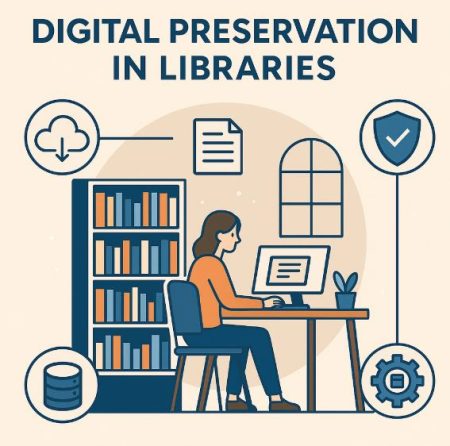
In addition to improving security, a DDMS helps libraries maintain compliance with copyright and legal regulations. The system tracks document usage and access to ensure that documents are used according to licensing agreements. This protects the library from potential legal issues and ensures that users adhere to intellectual property laws and copyright restrictions. - Long-Term Preservation and Digital Archiving: Libraries are responsible for preserving knowledge and cultural heritage for future generations. A DDMS plays a vital role in digital preservation and archiving, helping libraries safeguard valuable materials against deterioration over time. Unlike physical documents, which are prone to wear and damage, digital documents can be stored indefinitely without physical degradation.
A DDMS ensures that digital materials are saved in secure, well-organized archives, with regular backups to prevent data loss. It also supports digital formats that are designed for long-term accessibility, making it easier for future generations to access and use historical documents, research papers, and rare collections. This long-term preservation ensures that valuable resources are kept intact and accessible for years to come. - Collaboration and Sharing of Resources: A DDMS enables libraries to share resources and collaborate with other institutions, researchers, or organizations. Whether through interlibrary loan systems, digital repositories, or research networks, the ability to share digital documents with external users becomes much easier with a DDMS. For example, academic libraries can provide access to shared research databases or collaborate with other libraries to enhance their collections. Additionally, library staff can collaborate more effectively on the curation and management of collections, sharing digital materials across departments and working together on projects without the need for physical meetings or document exchanges.
- Environmental Sustainability: By reducing the need for paper and physical storage, a DDMS contributes to a more sustainable and eco-friendly approach to document management. Libraries that transition to digital collections are able to minimize their carbon footprint by reducing paper usage, ink consumption, and waste associated with physical document storage.
The ability to digitize older materials and move away from physical copies supports libraries’ sustainability efforts and contributes to broader environmental goals, aligning with global initiatives to reduce waste and promote responsible resource management.
A Digital Document Management System (DDMS) offers numerous benefits for libraries, from improving document accessibility and enhancing user experiences to reducing operational costs and ensuring the long-term preservation of valuable resources. By streamlining workflows, improving security, and supporting remote access, a DDMS enables libraries to keep pace with the demands of the digital age while maintaining their core mission of providing access to knowledge and information. As libraries continue to transition to digital solutions, a DDMS is an indispensable tool in ensuring that they remain efficient, relevant, and sustainable in the modern digital landscape.
Tools Used in Libraries for Digital Document Management
As libraries embrace digital transformation, they increasingly rely on Digital Document Management (DDM) tools to manage, store, and retrieve their digital content efficiently. These tools help organize vast collections of digital documents and improve accessibility, security, and collaboration. Various software solutions are available to assist libraries in the effective management of digital documents. Below are some of the key tools used in libraries for Digital Document Management:
- Integrated Library Management Systems (ILMS): Integrated Library Management Systems (ILMS) are comprehensive software platforms that integrate various aspects of library management, including cataloging, circulation, acquisition, and digital document management. These systems are designed to manage both physical and digital resources. Many ILMS solutions have built-in features for digitizing documents, indexing, and searching digital content, such as e-books, research papers, and multimedia files. They also help streamline document workflows and ensure compliance with copyright regulations.
Popular examples of ILMS that libraries use for digital document management include:- Koha: An open-source ILMS that provides a range of digital content management features, including cataloging, circulation, and digital resources management.
- Alma: A cloud-based ILMS widely used by academic libraries, offering features such as metadata management, digitization workflows, and integration with digital repositories.
- Ex Libris Primo: A discovery tool integrated with ILMS systems that allows users to search digital collections and physical library resources through a single interface.
- Digital Repositories: Digital repositories are specialized systems for storing and managing digital content such as research papers, institutional publications, and multimedia. These repositories are used to archive and provide open access to academic resources, ensuring long-term preservation and compliance with digital rights management (DRM) and intellectual property laws.
Some popular digital repository platforms include:- DSpace: An open-source digital repository system widely used by libraries to manage academic research outputs, theses, and dissertations. It offers features for storing, organizing, and sharing digital documents.
- Fedora: Another open-source repository system designed for managing digital content, supporting a variety of metadata standards for long-term preservation and access.
- ContentDM: A digital asset management system that is popular in libraries for organizing, digitizing, and providing access to special collections such as archives, images, and rare manuscripts.
- Document Scanning and OCR Software: Libraries often deal with large collections of physical documents that need to be digitized. Document scanning and Optical Character Recognition (OCR) tools are essential for converting paper-based documents into searchable and editable digital formats. These tools capture the content from printed material and convert it into machine-readable text, enabling indexing and easy retrieval.
Common tools used in libraries for document scanning and OCR include:- Adobe Acrobat Pro: A comprehensive PDF tool with OCR functionality that allows libraries to scan physical documents and make them searchable.
- ABBYY FineReader: A powerful OCR tool that can scan, recognize, and convert documents into editable formats, including searchable PDFs.
- Tesseract OCR: An open-source OCR engine that can be integrated into library systems for document scanning and text extraction.
- Cloud-Based Storage Solutions: Cloud-based storage systems have become a popular choice for libraries as they offer secure and scalable storage options for managing digital documents. Cloud services allow libraries to store vast amounts of data off-site, reducing the need for physical storage infrastructure and enabling remote access to documents. These systems also come with built-in redundancy and backup features to ensure data security.
Some commonly used cloud storage platforms in libraries include:- Google Drive: Offers robust cloud storage with integration to Google Docs and Sheets, facilitating document sharing, collaboration, and access control.
- Dropbox: A file hosting service that provides easy document sharing and collaboration capabilities, making it useful for smaller collections or collaborative projects.
- Microsoft OneDrive: An integrated cloud storage platform with advanced sharing and collaboration features, commonly used by libraries in educational institutions.
- Amazon Web Services (AWS): A highly scalable cloud platform that provides storage solutions, such as Amazon S3, ideal for managing large digital collections and providing access to millions of users.
- Digital Preservation Tools: To ensure the long-term accessibility and preservation of digital resources, libraries use digital preservation tools that protect digital content from obsolescence or data degradation. These tools are designed to manage digital files in formats that can withstand technological changes and ensure that files remain accessible even as software and hardware evolve.
Popular digital preservation tools include:- Archivematica: An open-source digital preservation system designed for managing large-scale digital archives. It automates many processes involved in preserving digital collections, such as file format migration and metadata generation.
- Preservica: A comprehensive digital preservation software that provides secure storage, metadata management, and long-term access to digital content.
- LOCKSS (Lots of Copies Keep Stuff Safe): A system used to ensure that digital content is preserved by creating copies of files across multiple libraries or institutions.
- Metadata Management Tools: Effective metadata management is crucial for organizing and retrieving digital documents. Metadata management tools allow libraries to standardize and maintain metadata associated with digital content, improving the searchability and accuracy of their digital collections.
Common metadata management tools in libraries include:- MARCEdit: A tool designed for managing MARC (Machine-Readable Cataloging) records, commonly used in libraries to create and edit metadata for books, journals, and digital resources.
- Metadata Harvesting Tools: Tools like OAI-PMH (Open Archives Initiative Protocol for Metadata Harvesting) enable libraries to collect and manage metadata from various sources, making digital content easier to discover.
- Digital Rights Management (DRM) Tools: As libraries digitize their collections, ensuring proper access control and protecting intellectual property becomes increasingly important. Digital Rights Management (DRM) tools help libraries manage permissions, control access, and enforce usage rights for digital resources.
Popular DRM tools used by libraries include:- Adobe Digital Editions: A DRM solution that allows libraries to manage the distribution of e-books and digital content while enforcing access rights and lending periods.
- Watermarking Software: Software tools that embed a unique watermark into digital documents, ensuring the protection of intellectual property and discouraging unauthorized sharing.
- Collaborative Platforms: Libraries use collaborative platforms to facilitate sharing, communication, and joint work on digital documents. These tools enable library staff and users to work together on documents in real time, improving workflows and collaboration.
Examples of collaborative tools used in libraries:- Microsoft Teams: A collaboration platform used for team communication, file sharing, and document collaboration, widely adopted in academic libraries.
- Slack: A messaging platform used for team collaboration and the sharing of digital resources, enhancing communication between library staff and patrons.
Libraries today are embracing a wide range of digital document management tools to streamline operations, enhance accessibility, and ensure the security of their digital collections. From Integrated Library Management Systems (ILMS) and digital repositories to cloud storage and OCR software, these tools help libraries manage the growing volume of digital content while improving user engagement. By leveraging these technologies, libraries can improve their service offerings, collaborate more effectively, and provide more convenient and secure access to their digital resources.